
Update April 2025: It seems as though recently the logging in the console has changed such that the link no longer contains the Captcha to refresh the token. I will update this article in due course with more information if I find any. The rest of the guide remains relevant.
Introduction
The following is a complete and thorough explanation on exactly how the Arsenal Ticket Exchange (TX) service works for obtaining tickets to home fixtures, and a guide on how best to use it including techniques to overcome stumbling blocks one may encounter when spending long periods of time hunting for tickets. It is worth noting that all of the points detailed here have been gained through personal experience with the TX, so this article may not be entirely factual or accurate on a technical level. What I can gauruntee is that the following article will contain, to the best of my knowledge and experience, the best advice for successfully obtaining tickets to Arsenal matches on the TX.
A bit of relevant background on myself: I spent three years working as a web application developer before switching to mobile application development, so the details that follow regarding use of the developer tools on a browser come from personal experience in using them.
Please note that this article has been written around the basis of the TX being used on the desktop version of a browser. Whilst a lot of these techniques will work on mobile, you will have far more luck in getting tickets if you use a desktop browser window.
A Basic Overview of the TX
The TX becomes available after the Red and Silver ballots have been drawn. It is only available to members that entered the ballot and were unsuccessful in obtaining tickets through the ballot. Season ticket holders and other members who have match tickets can post their tickets on the exchange, up until 3 hours before kick off, where they will become available to purchase by other members on the TX.
It has been reported by the club that there are frequently hundreds to thousands of active users on the TX at any given time, this will undoubtedly be in the thousands for big games such as NLDs, and games like last seasons final home game where we could have won the league.
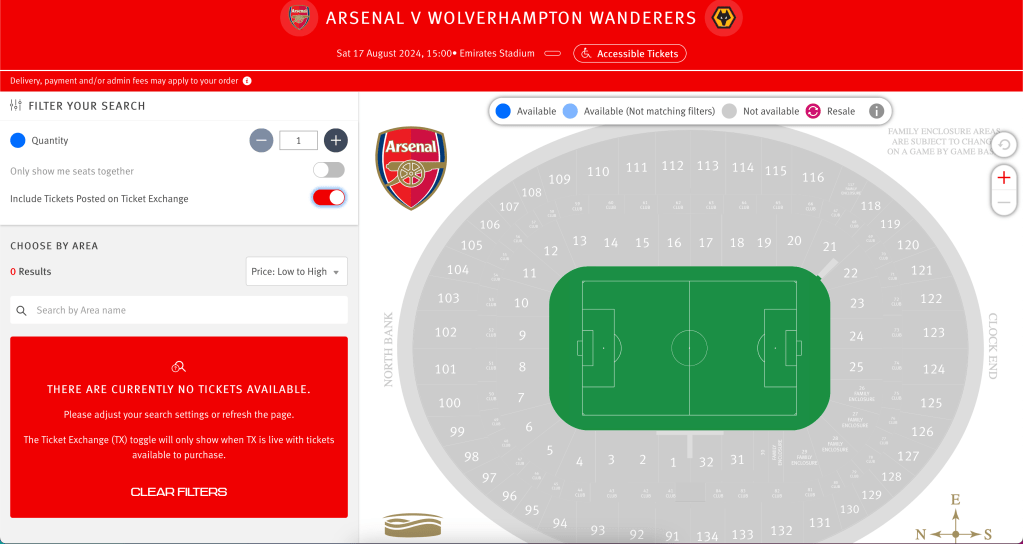
The above is a screenshot of how the TX will look when active – note the two switches in the top left corner. The bottom of these switches is the important one. This switch will not be visible at all times:
If the toggle is visible, it means that a ticket has recently been posted on the TX. I don’t know the timings of this, but I would say that the toggle disappears if there has been around 30 minutes without a ticket being posted.
If the toggle is not visible, then there has not been a ticket posted recently, and you will not be able to proceed with the suggested technique for securing a ticket. I recommend returning to the TX after some time if the toggle is not visibile. You could use an auto refresher and keep an eye on it, but auto refreshers will quickly result in your session being suspended.
If a ticket is available, it will appear in place of the red box in the bottom left corner of the screen. The red box will disappear and be replaced by a list containing the available ticket(s).
The stadium map on the right can be, in my opinion, completely disregarded. The technique which I will shortly describe completely forgoes the need for it, and you will rarely see a ticket from the TX even appear on the map, and even more rarely will you succeed in using the map to get secure a ticket.
Technique
To reiterate, this technique works best on a desktop browser window. Some parts of this technique will work on a mobile device, but when it comes to subverting session timeouts this will be far easier to do on a desktop device.
- Navigate to the TX page of the game which you are trying to obtain tickets for.
- Right Click, and find the ‘Inspect’ option, or similar (Note: I use Firefox, but this technique will work on other browsers).
- Once you have clicked ‘inspect’, a sidebar will open in your browser.
- Navigate to the ‘Console’ tab – it will look like this:
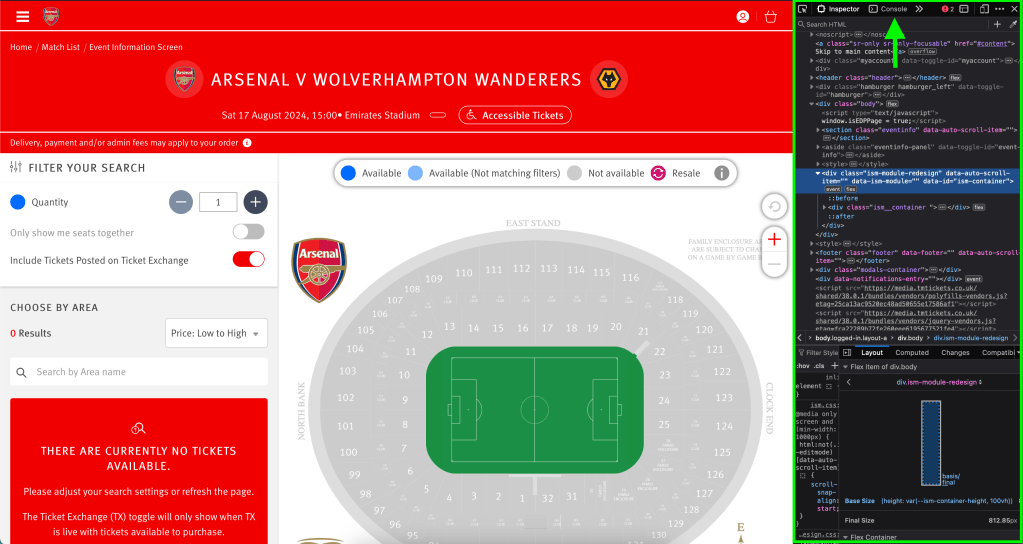
- Once you have opened the console, you can resize the side bar such that the stadium map disappears and we are left with just the left portion of the TX. As I said before, we will disregard the stadium map.
- Your view should now look something like this:
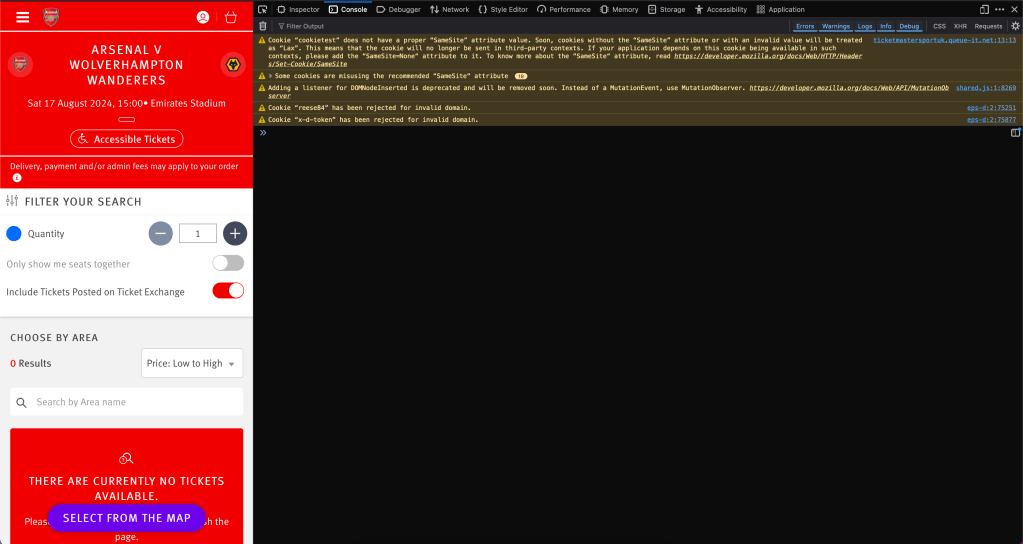
- The console view is important, as it will allow us to monitor whether or not our session has been suspended, and will allow us to complete a catcha which will reinstate our session. Without this step, we will be limited to around 10 minutes of refreshing the TX.
- Now we are ready to start refreshing the TX. This can be done by toggling the bottom switch off and then back on.
- When the switch is toggled, the red box will be replaced momentarily by a spinner, this means that the TX is refreshing.
- Whilst the spinner is visible, move your mouse to the top right corner of this area, and click your mouse very fast.
- This process will look like this:
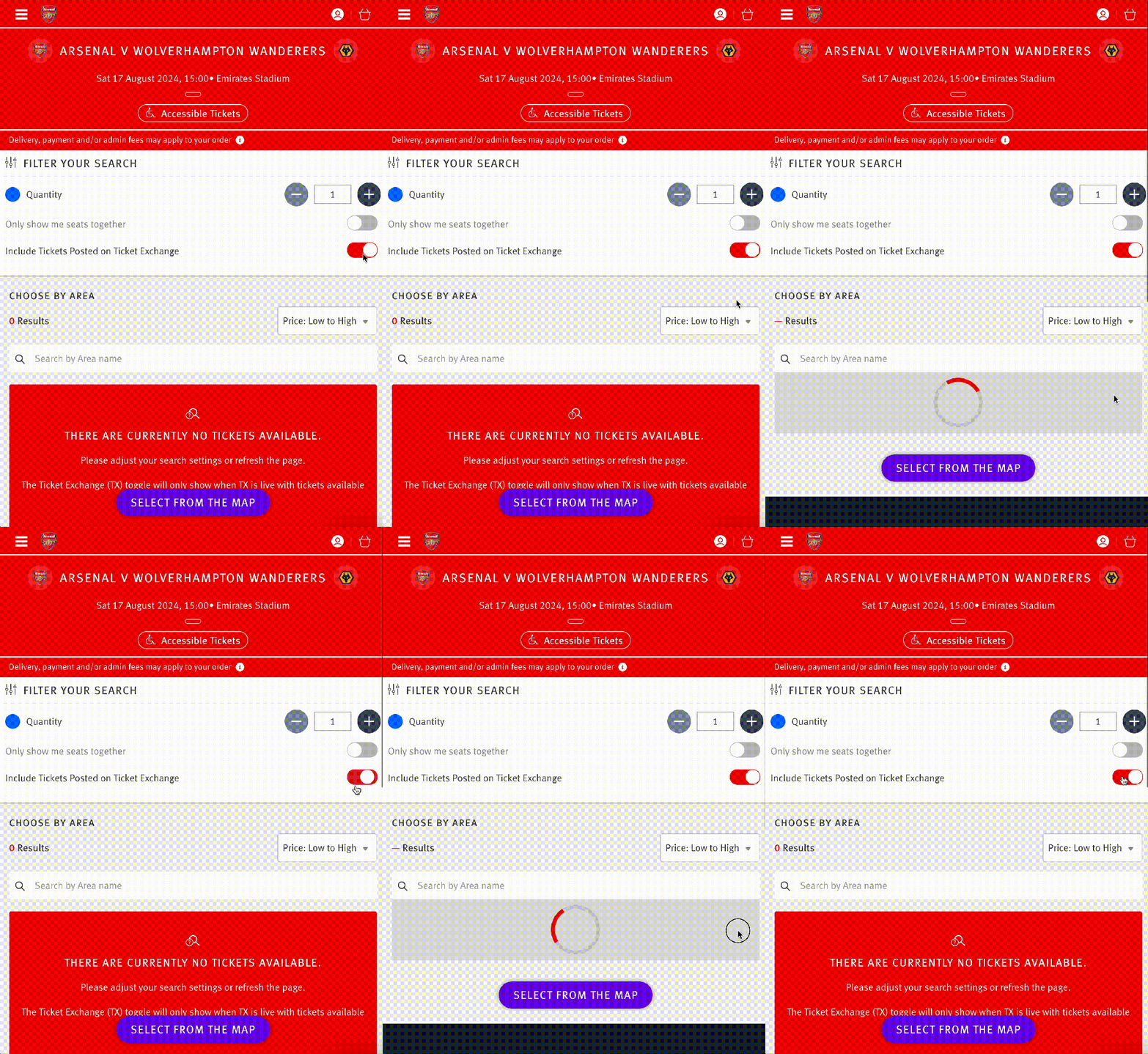
- The way this works is that we are spam clicking the area in which any tickets will appear. By spam clicking we are ensuring that we are clicking on the ticket as soon as we can, raising the chances of successfully obtaining the ticket.
- Whilst doing this, you should keep an eye on the console window, as it will tell us when we need to complete a captcha to be able to continue refreshing.
- After five or so minutes of doing the above technique, your session will need to be re-validated by completing a captcha. You will know when this needs to be done when an error is displayed in the console window. It will look something like this:
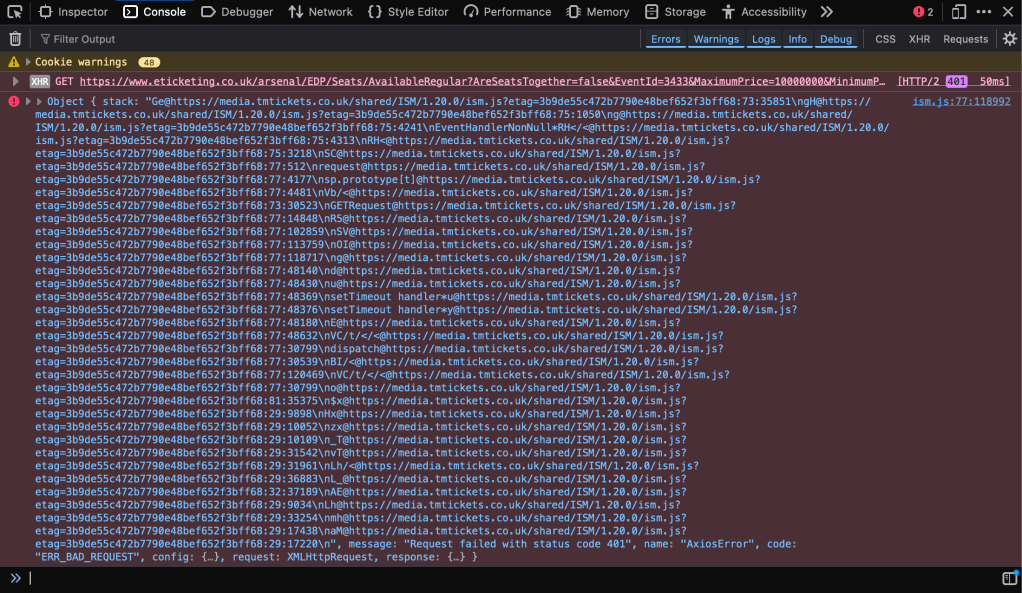
- We can ignore most of this, what we are interested in is the link at the top, next to the word ‘GET’:

- Right click on this link, and then select the option that reads ‘Open URL in new tab’, or something similar.
- This will direct you to a page with a captcha to be completed:
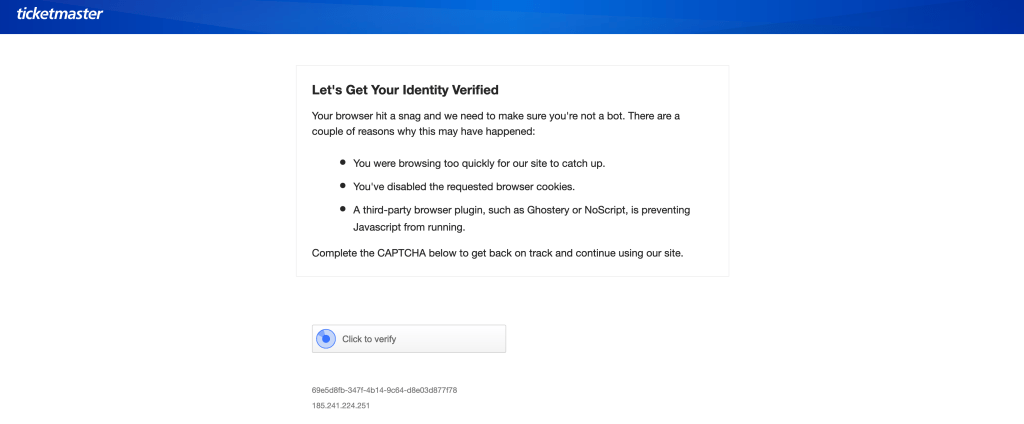
- Once you complete the captcha, you will be redirected to the following page. Don’t worry, this is what we want to see. You can safely close this tab and return to the TX.
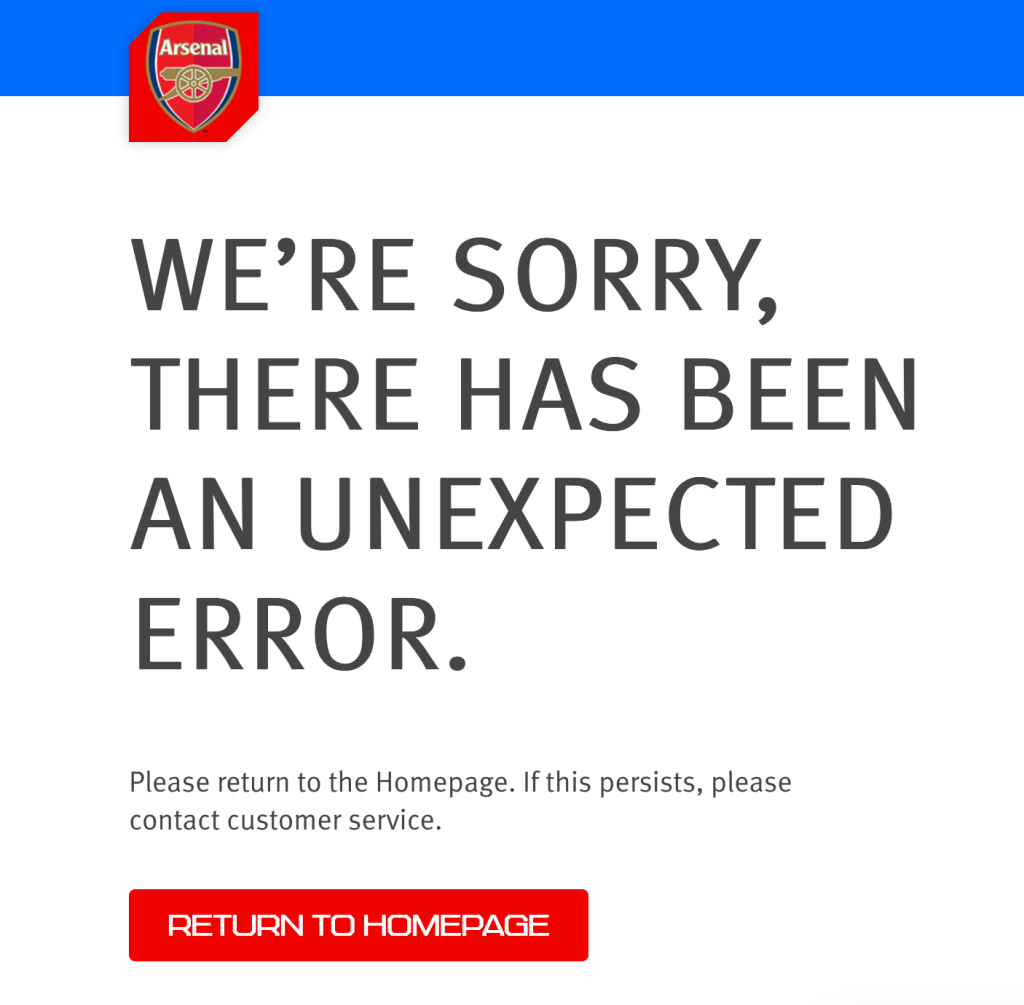
- Once you have returned to the TX after completing the captcha, you will be able to return to the refresing technique.
- When a ticket is posted to the TX, it will appear like so:
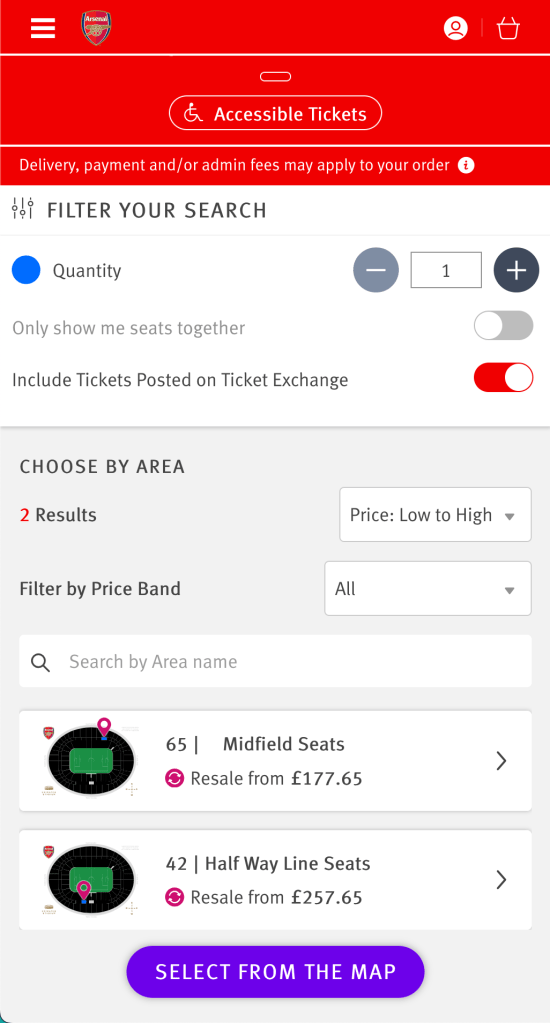
- Using the above technique, you will click on any ticket instantaneously, and with a bit of luck, you will secure the ticket and see the following:
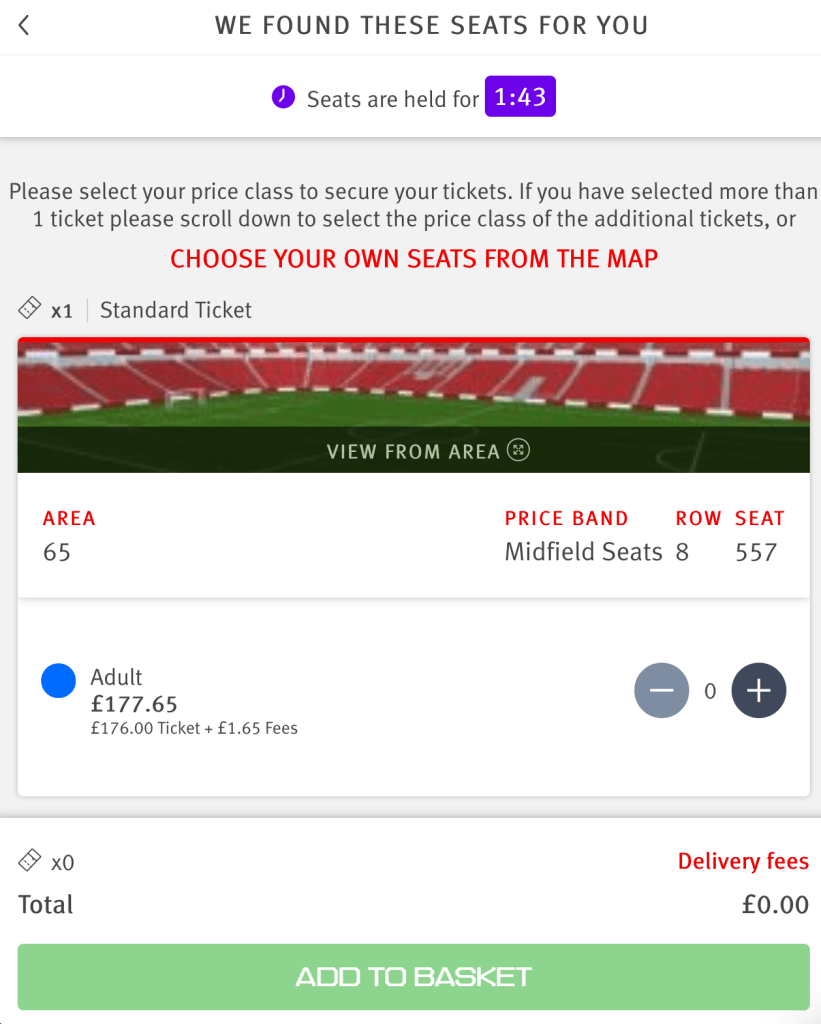
- If you see the above, this means you have successfully secured the ticket, and it will be held for you for 2 minutes whilst you decide if you want the ticket or not. If you want the ticket, click the plus arrow and then add it to your basket. You can then check out.
- Congratulations! You have beaten the TX and secured a ticket to an Arsenal game!
Sometimes, after a long enough period of time using the above technique, your session will be suspeneded and you not have the option to complete a captcha to continue. You will see the following screen when you click the link in the console window as described above:
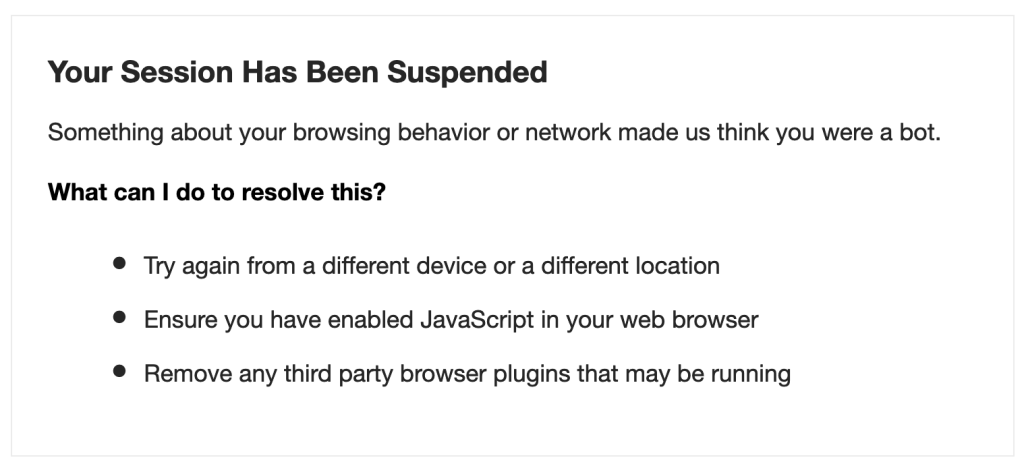
There is no way to get around this that I know of other than waiting. What sometimes works is to open a new browser window in incognito/private mode. This may allow you to start the process over again. If not, wait around an hour and return, you should be let in.
Conclusion
I hope this article has been easy to understand and follow along with. I have used this technique for the past few seasons, and if I had to guess the success rate, it would be around 75%. There is still a lot of luck involved in being the first person to click a ticket. If you spend long enough doing this technique, I am certain you can get a ticket to any game you wish. I have always seen tickets appear for games, the only exception being Everton at home last season, which I didn’t see a single ticket pop up for. Understandable, given the circumstances.
I appreciate the length of this article may be offputting, but I wanted to cover all bases and thoroughly explain each step of the process suggested.
If you have any questions, please comment below and I will try to respond to every comment. Failing that, I am very active in both /r/gunners and /r/gunnersatgames, so feel free to try to track me down in either of those subreddits.





Leave a comment